Dialtone keeps the lead, result, note, and follow-up in the same workflow. Save what matters while the conversation is fresh, then return to the queue.
Use the desktop app for the full queue. Away from your desk, open the phone app to review Today and start a phone run.
The result goes in one place, the note in another, and the promised follow-up stays in memory. The next lead waits while the caller cleans up the last call.
Log what happened
Write the useful note
Remember the promise
Find the next lead
01 · After the call
Save the result, note, and follow-up together.
Scattered cleanup delays the next conversation.
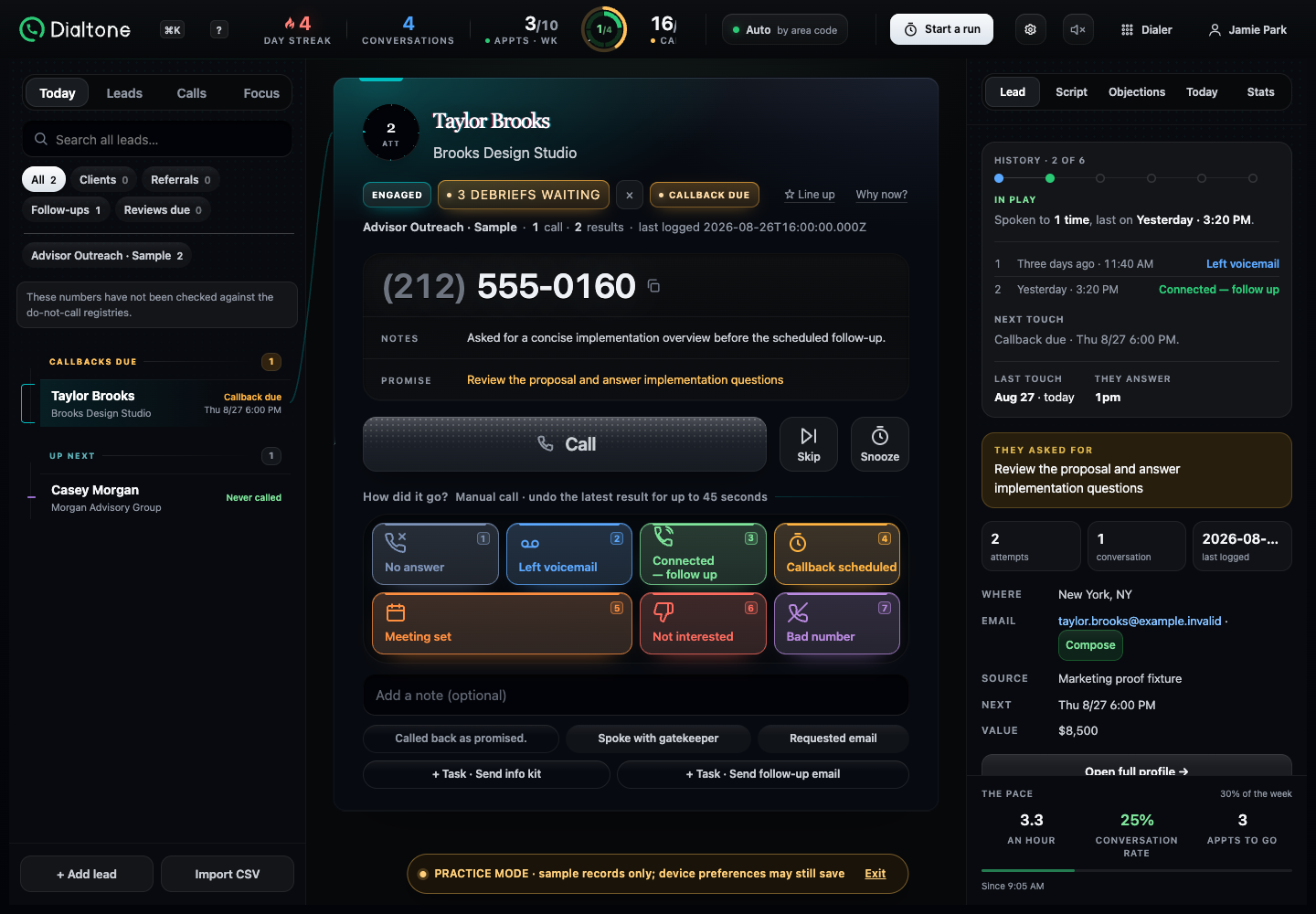
Choose what happened, add the detail worth keeping, and set the next action before moving to the next lead.
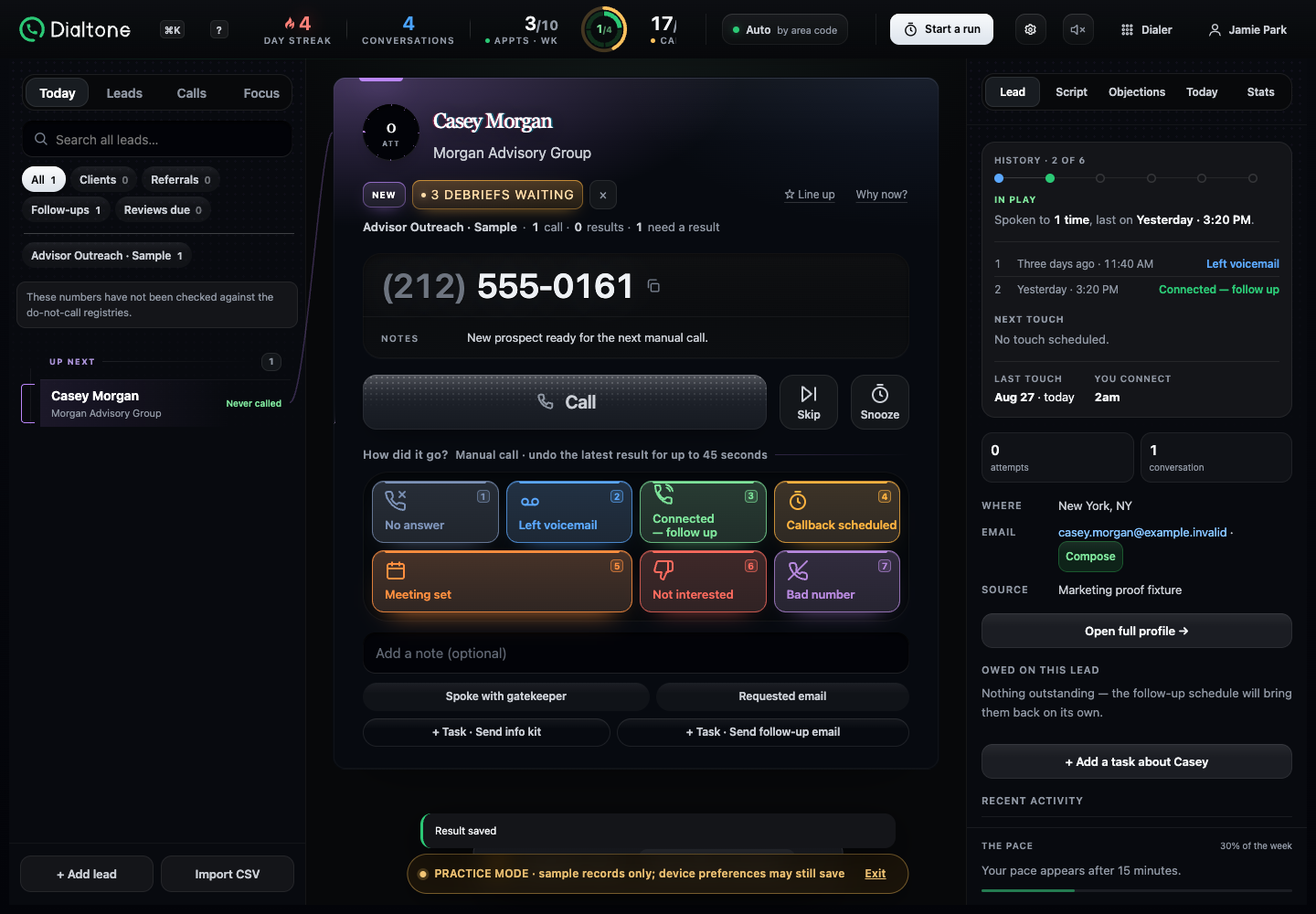
After the save completes, return to the queue with the outcome and follow-up attached to the lead.
Story + real screen
Product screens use privacy-safe demo data.
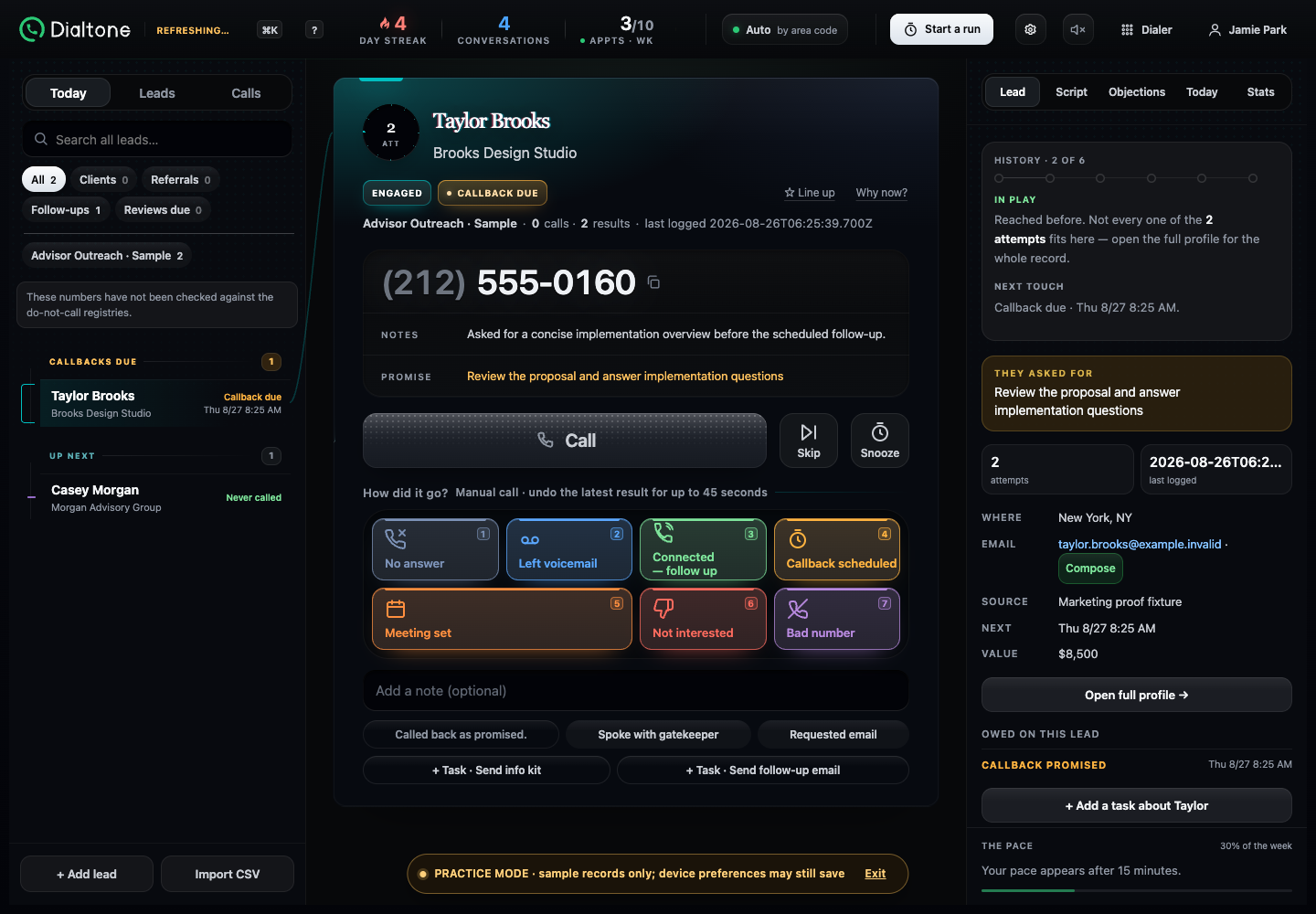
Log the result, note, and next step before you move on.Context, results, notes, follow-up actions, and the next lead stay in one working view.The current lead remains visible while the save finishes.The saved confirmation appears and the next lead is ready in the same workflow.Uncut local demo from the save state to an interactive next lead.
What this shows: This local demo shows the save-to-next workflow. It does not measure production network or carrier speed.
02 · Between calls
Use the phone workflow when you leave the desk.
A desktop-only dialer keeps the calling day tied to one desk.
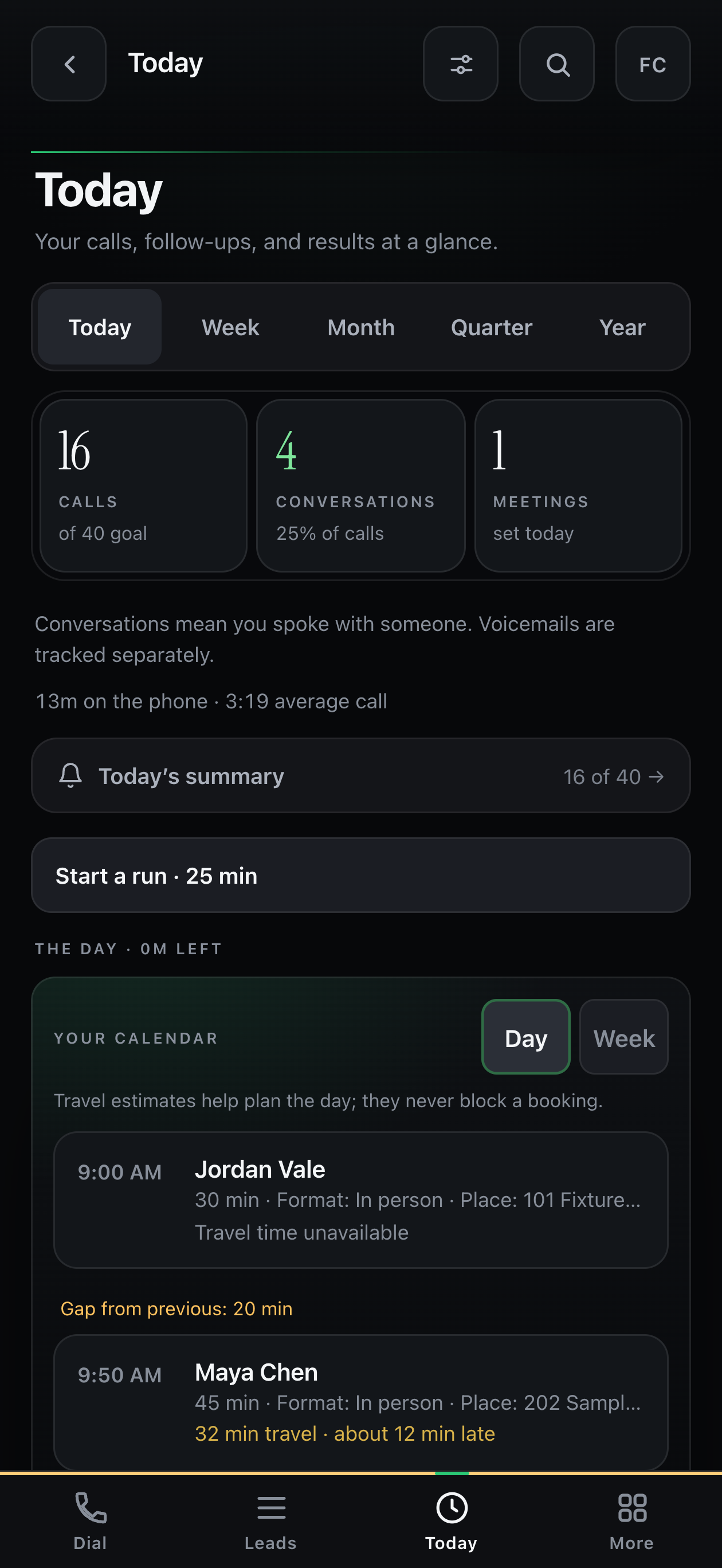
Use desktop for the full queue. When you step away, open the phone app to review Today, check your calendar, and start a phone run.
Between calls only: Dialtone does not transfer a live call between devices. This screen shows the phone’s Today view; it does not show the same lead moving from desktop to phone.
Phone workflow
Use the phone workflow between calls when you are away from your desk.The real phone Today view shows calls, conversations, meetings, and the day’s calendar.
03 · Keep the promise
Set the follow-up while the conversation is fresh.
“I’ll send some times” is easy to promise and easy to lose.
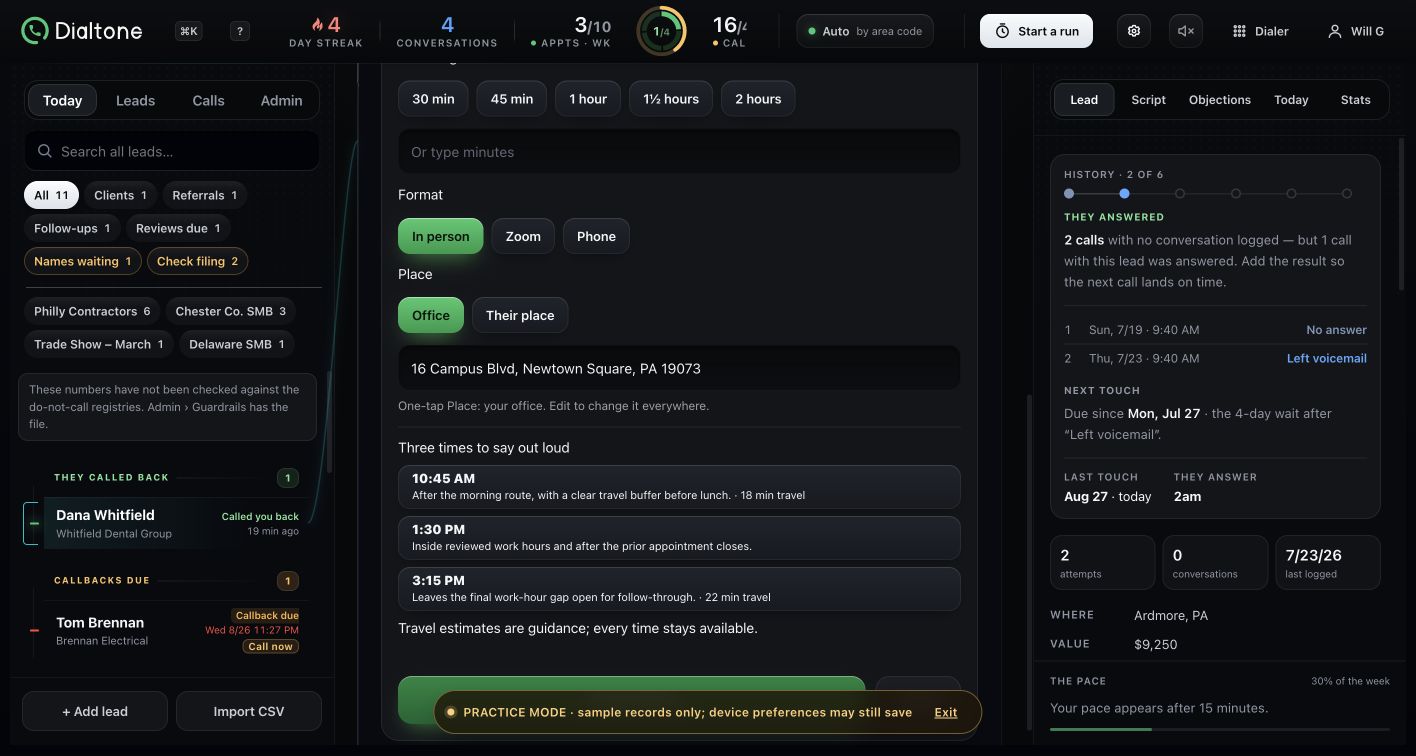
Dialtone suggests three upcoming openings based on appointments saved in Dialtone and the practice’s working hours. When location data is available, it also shows travel guidance.
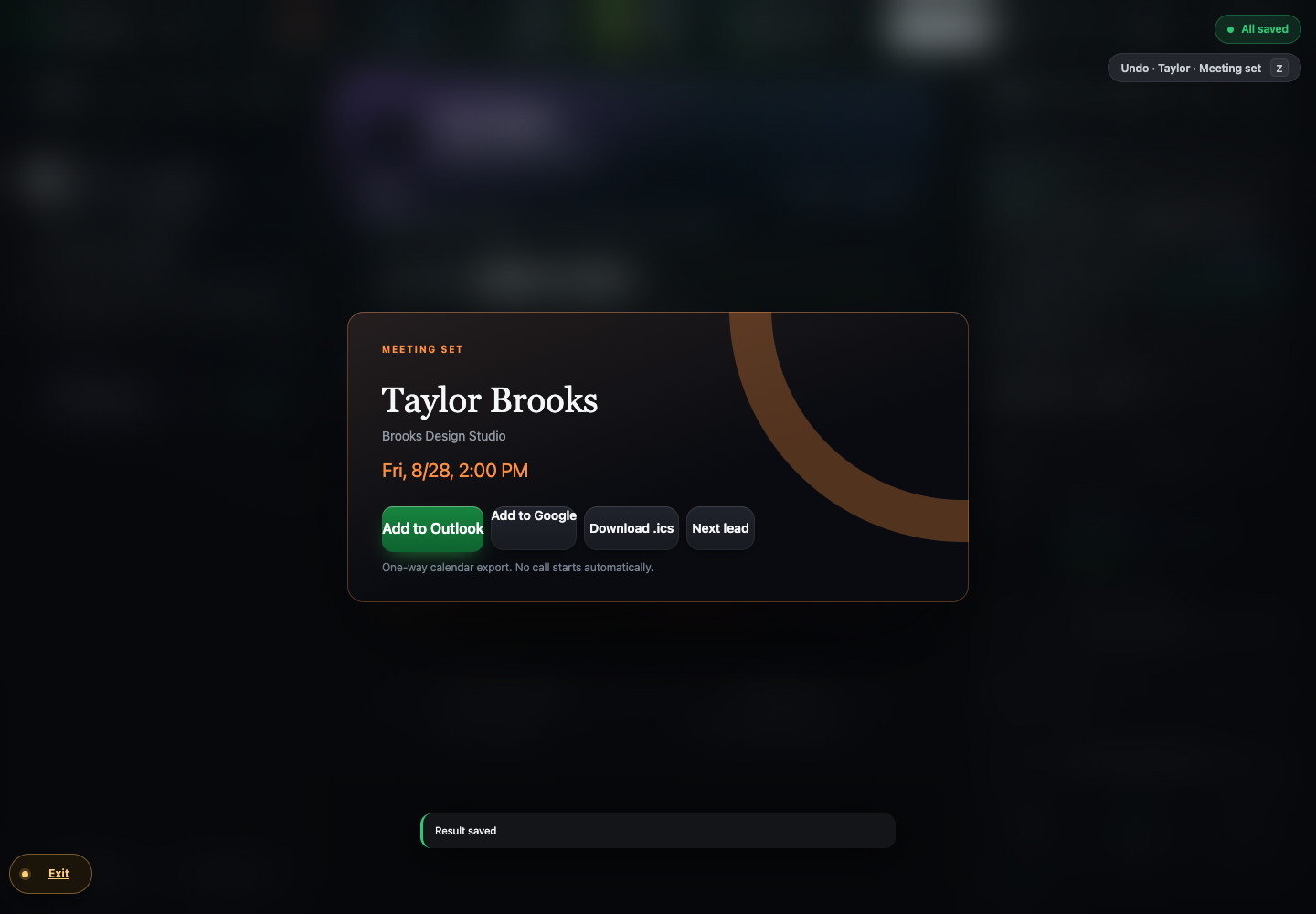
After saving a meeting, open an editable Google or Outlook calendar draft or download an .ics file.
Story + real Dialtone screens
Turn “I’ll send some times” into three concrete options.The real planner shows three options and the travel guidance displayed with them.
Save the meeting, open a calendar draft or .ics file, then continue to the next lead.
04 · Start with context
Know who you are calling and why they are next.
Rebuilding the story from memory makes the next conversation harder than it needs to be.
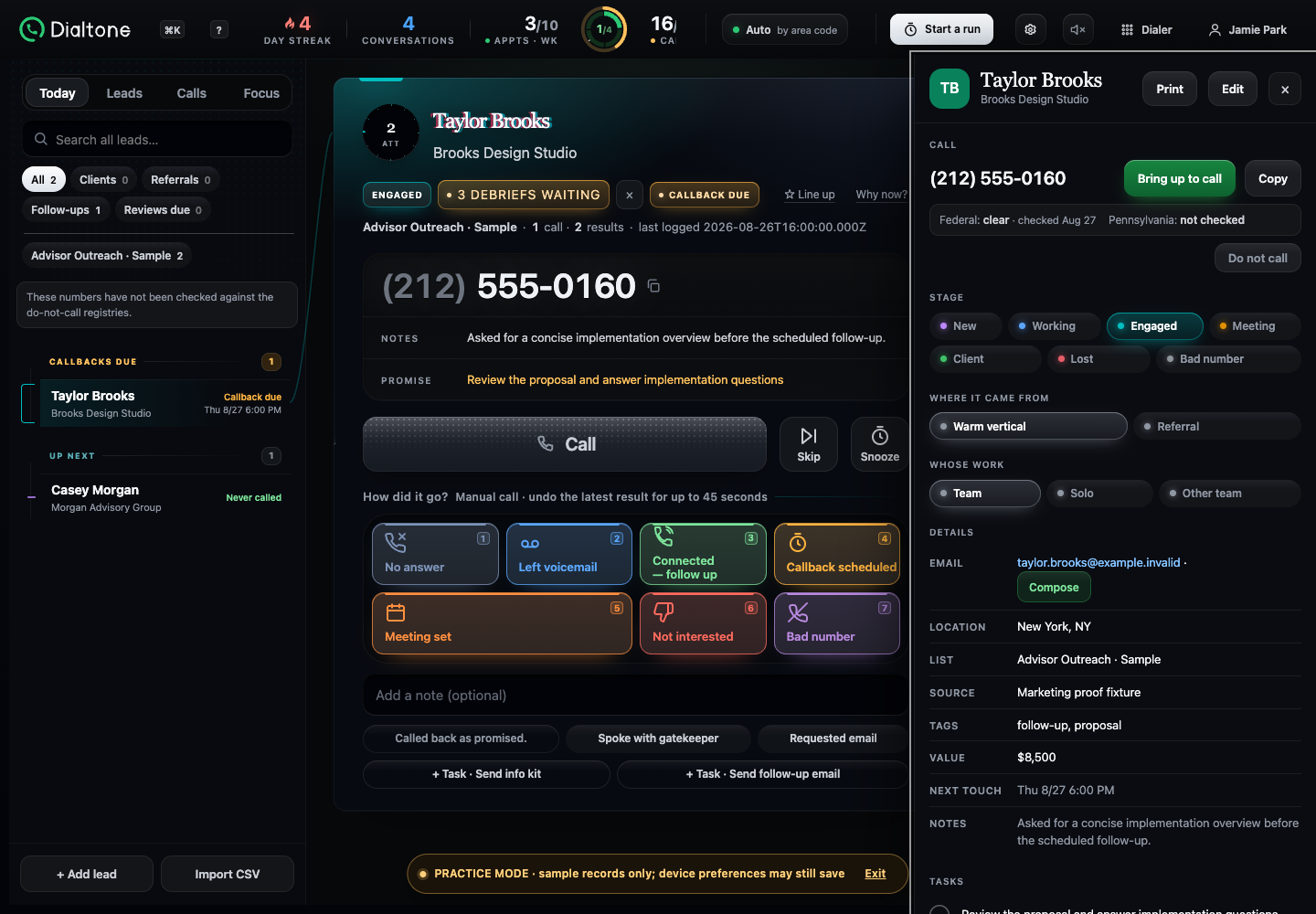
Open the lead with its stage, source, notes, tasks, next touch, and recent call context.
History and commitments stay attached to the lead, so the next conversation starts with the recorded context.
Real Dialtone screen
Lead organizationDesktop
Stage, source, notes, tasks, promises, and next touch remain attached to the lead.
Private pilot
See how Dialtone fits your calling workflow.
We’ll map your process to Dialtone and explain what the pilot requires before live calling.