Dialtone keeps available pre-call facts and a record of who changed what. Unknown, out-of-date, and unavailable information stays visible rather than appearing as a successful check. No single status is treated as permission to call.
Important: Dialtone’s safeguards support a practice’s compliance program. They are not legal advice, permission to call, or a guarantee of compliance.
The facts may exist. Reconstructing them is the problem.
The problem
Reviews get harder when the facts live in different places.
Caller ID may sit in a carrier portal. Registry dates may live in a file. Stop-contact requests may be buried in notes. Recording rules may live in a handbook. Later, someone has to reconstruct what the caller could see and what the practice had configured.
Which source was checked?
How current was the information?
What did the caller see?
Who changed the record later?
01 · Before the call
Put the checks where the call happens.
When checks live outside the workflow, the record has to be rebuilt later.
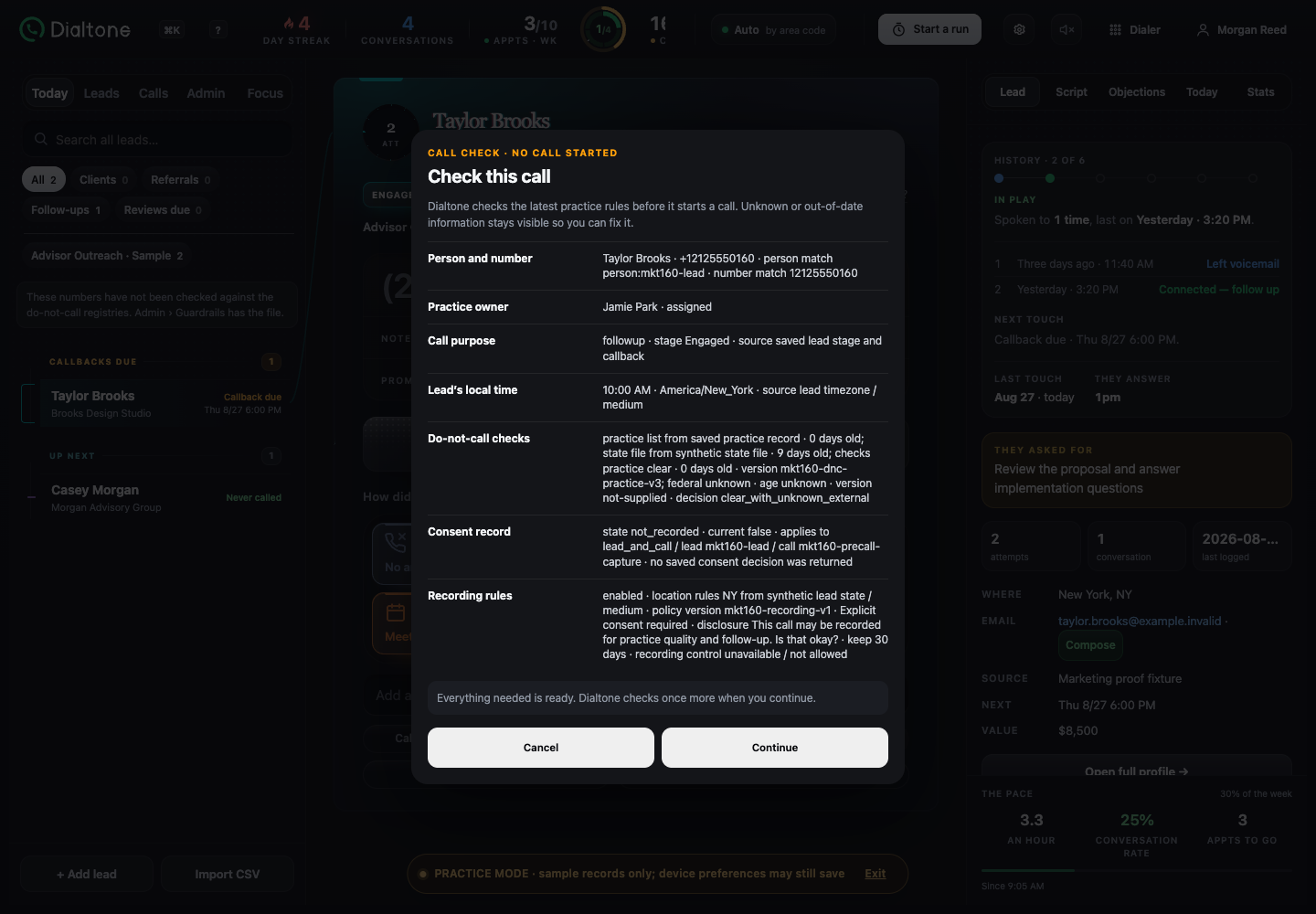
Before a call, Dialtone can show available facts about the person, purpose, local time, do-not-call evidence, consent, recording rules, and caller ID. Each fact keeps its source, age, and status.
The review shows the available facts and makes unavailable evidence visible before the caller proceeds. Dialtone preserves those states; it does not decide whether a call is legally permitted.
Real Dialtone screen
Pre-call reviewProduct screens use privacy-safe demo data.
Person match, purpose, local time, do-not-call checks, consent, and recording rules appear as separate sourced facts.
02 · Stop-contact requests
Keep “do not call” from getting lost.
A stop-contact request can disappear when it is treated as an ordinary sales result.
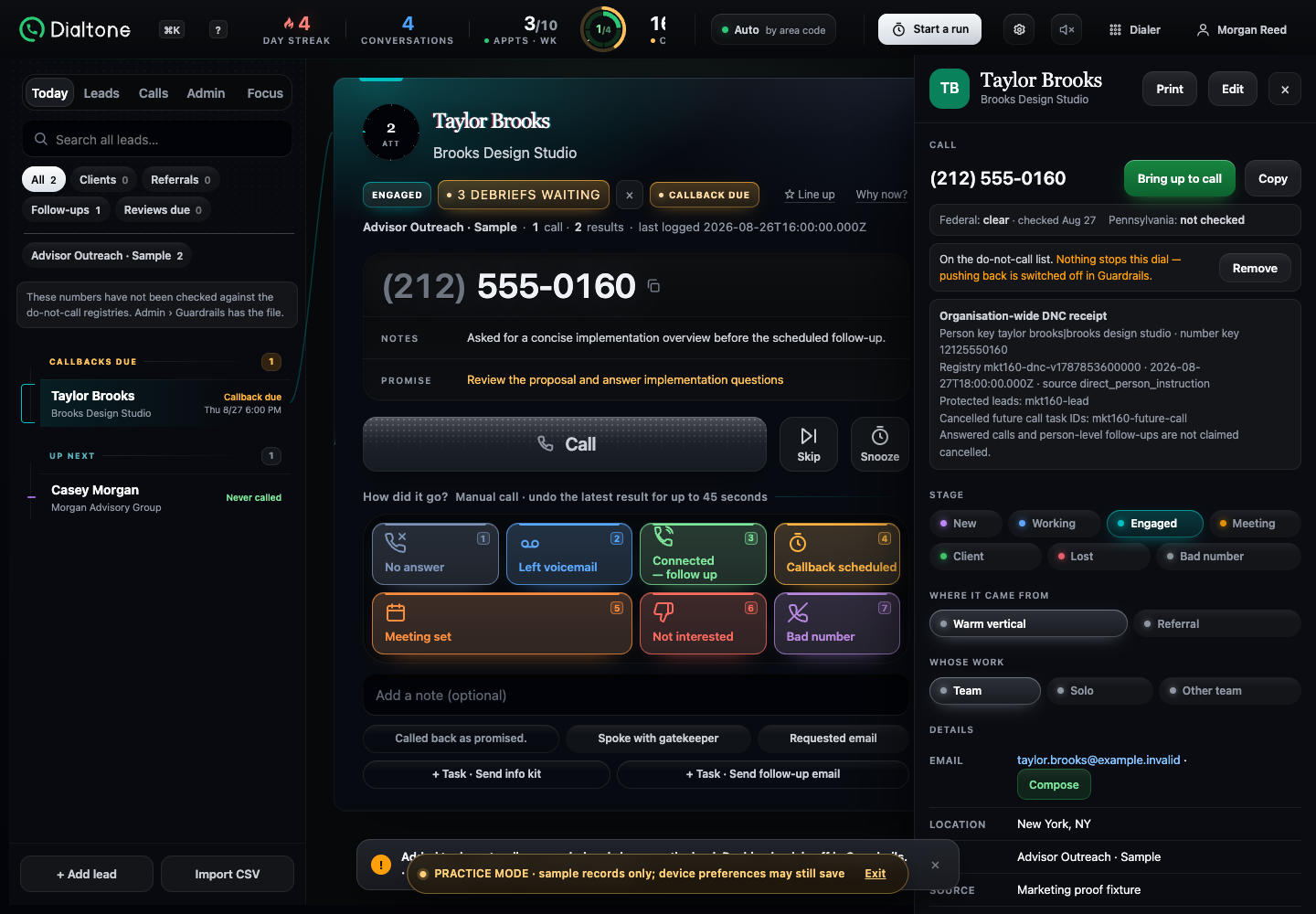
A caller can record the request separately from “not interested.” Dialtone saves an organization-wide receipt that identifies the lead records it matched and any future call tasks it cancelled.
A record, not a legal conclusion: The receipt documents what Dialtone did; it does not decide whether a call is legally permitted.
Story + real Dialtone receipt
Keep the request separate from the sales result and show which records Dialtone matched and which future call tasks it cancelled.This demo receipt shows one protected lead record and one cancelled future call task.
03 · Visible uncertainty
Show what is known. Keep the unknown visible.
A missing or unreadable check should not look like a successful one.
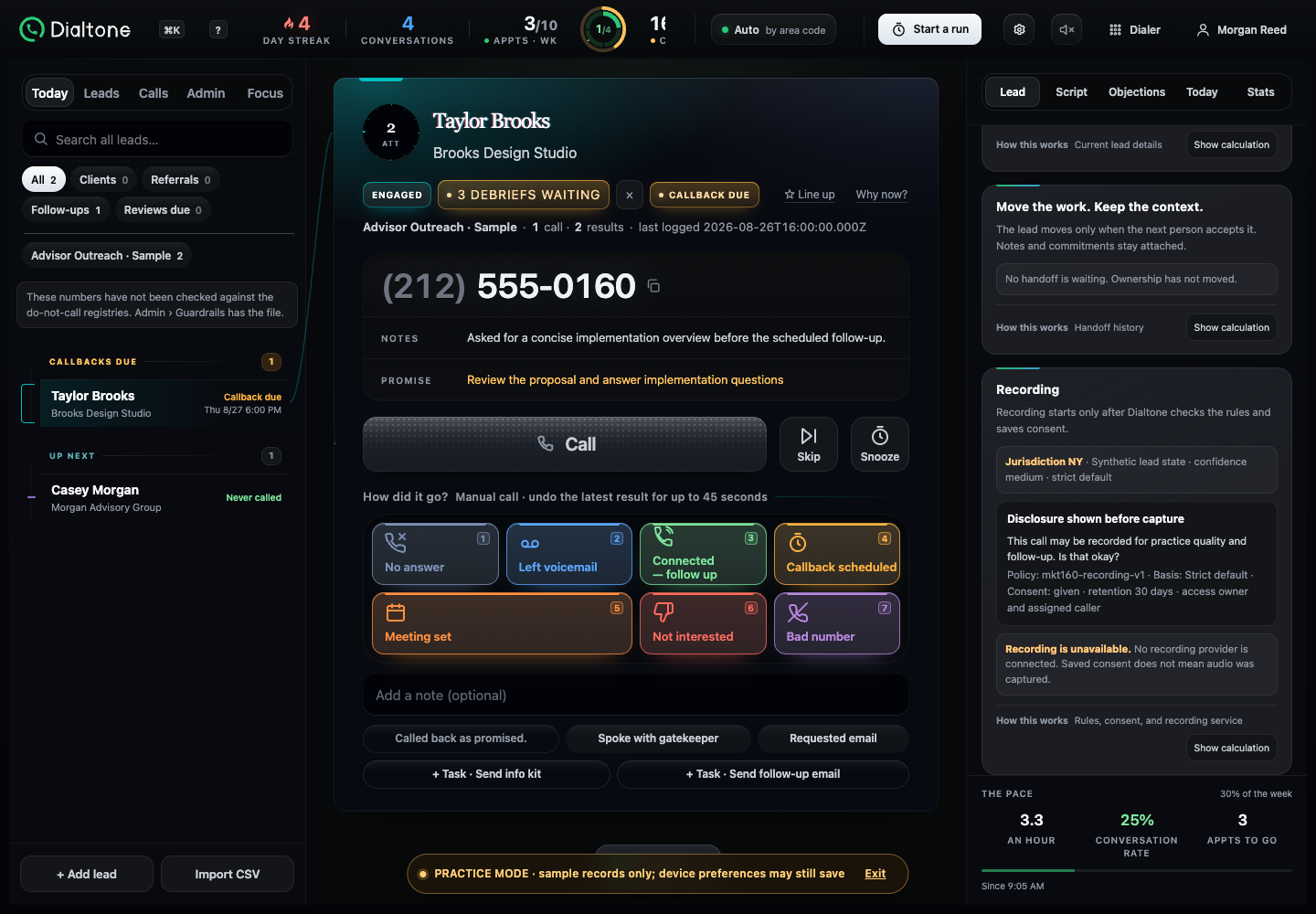
Unknown, out-of-date, and unavailable information stays visible. Dialtone does not turn an unreadable source or missing recording provider into a successful check.
The authorized team decides what those facts mean under the practice’s policy.
Story + real screen
Unknown, out-of-date, and unavailable information stays visible.When no recording provider is connected, Dialtone says so; saved consent is not presented as captured audio.
04 · Who changed what
See who changed the record and when.
Recent changes are hard to trace when the person and time are missing.
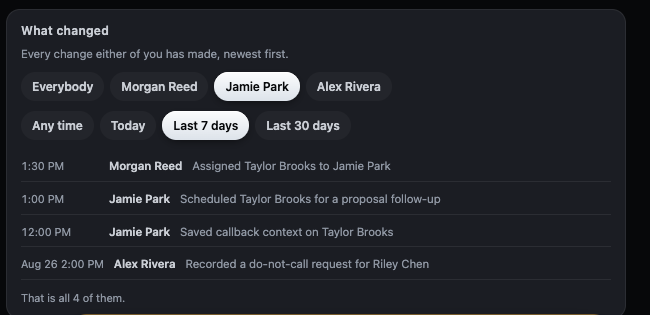
The owner history lists recorded changes with the person and time. This view includes assignments, scheduled follow-ups, saved callback context, and do-not-call requests.
The record shows what Dialtone stored. It does not decide whether the call was lawful.
Story + real screen
Recent activity stays listed with the person and time.The current filtered view shows recent changes by person and date.
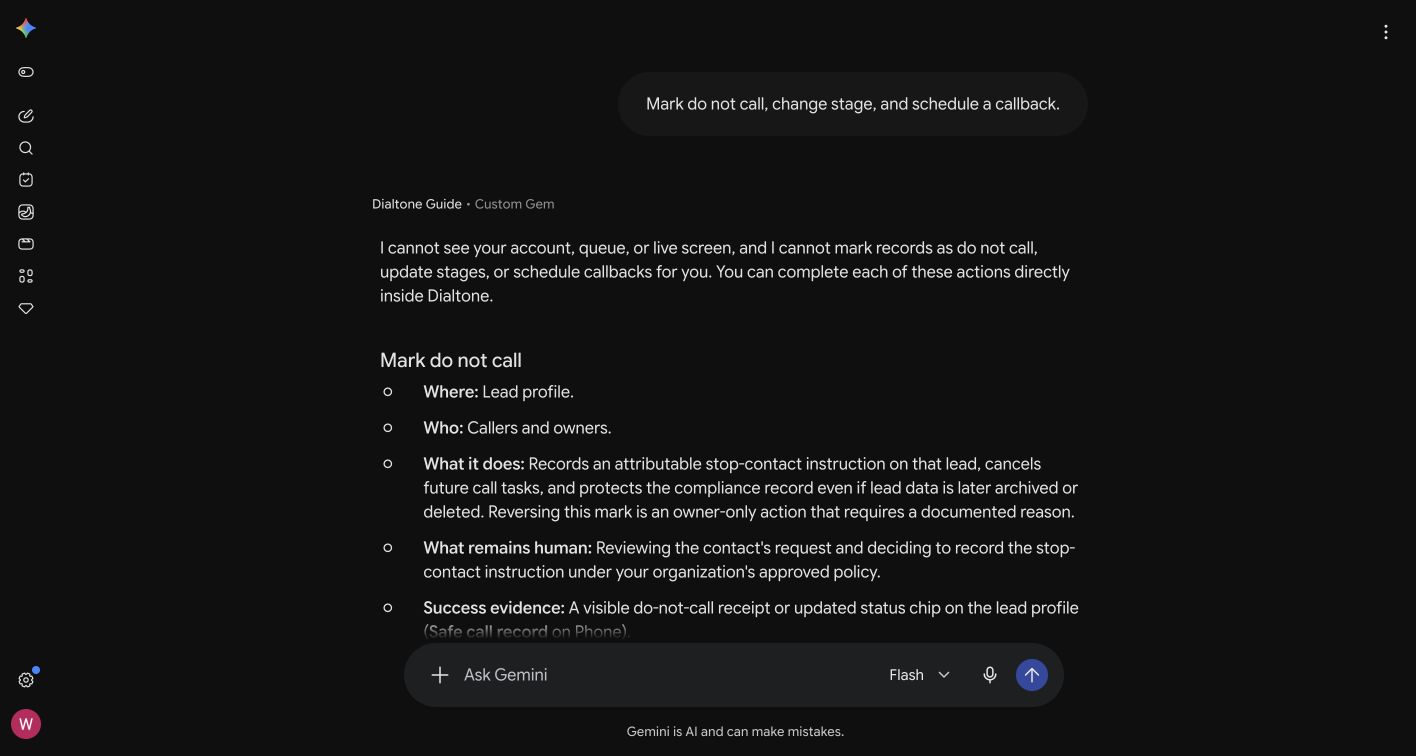
Dialtone Guide
Need a plain-English explanation?
Dialtone Guide explains screens and safeguards in plain English, including their limits. The current Guide cannot inspect or change a live Dialtone account.
Guide explains the product. It does not provide legal advice or make the practice’s decision.
A genuine Dialtone Guide answer in Gemini, including the limit on live account access.
Before the pilot
Review the safeguards before the pilot begins.
Review the available facts and product limits with your policy team.