Managers see recorded activity and outcomes for the teams they’re allowed to review. Owners can also compare list results, see how each phone number is performing, and keep lead ownership clear.
Leaders need more than volume: what the work produced, which lists are running low, which numbers need attention, and who owns the next step. Without a shared record, every answer becomes another message, spreadsheet, or status meeting.
How many conversations and appointments came from the calls?
Which lists need fresh names?
Which numbers need attention?
Who owns the next step?
01 · Manager view
See the work before the meeting starts.
A call total shows volume. It does not show what the calls produced or where someone may need help.
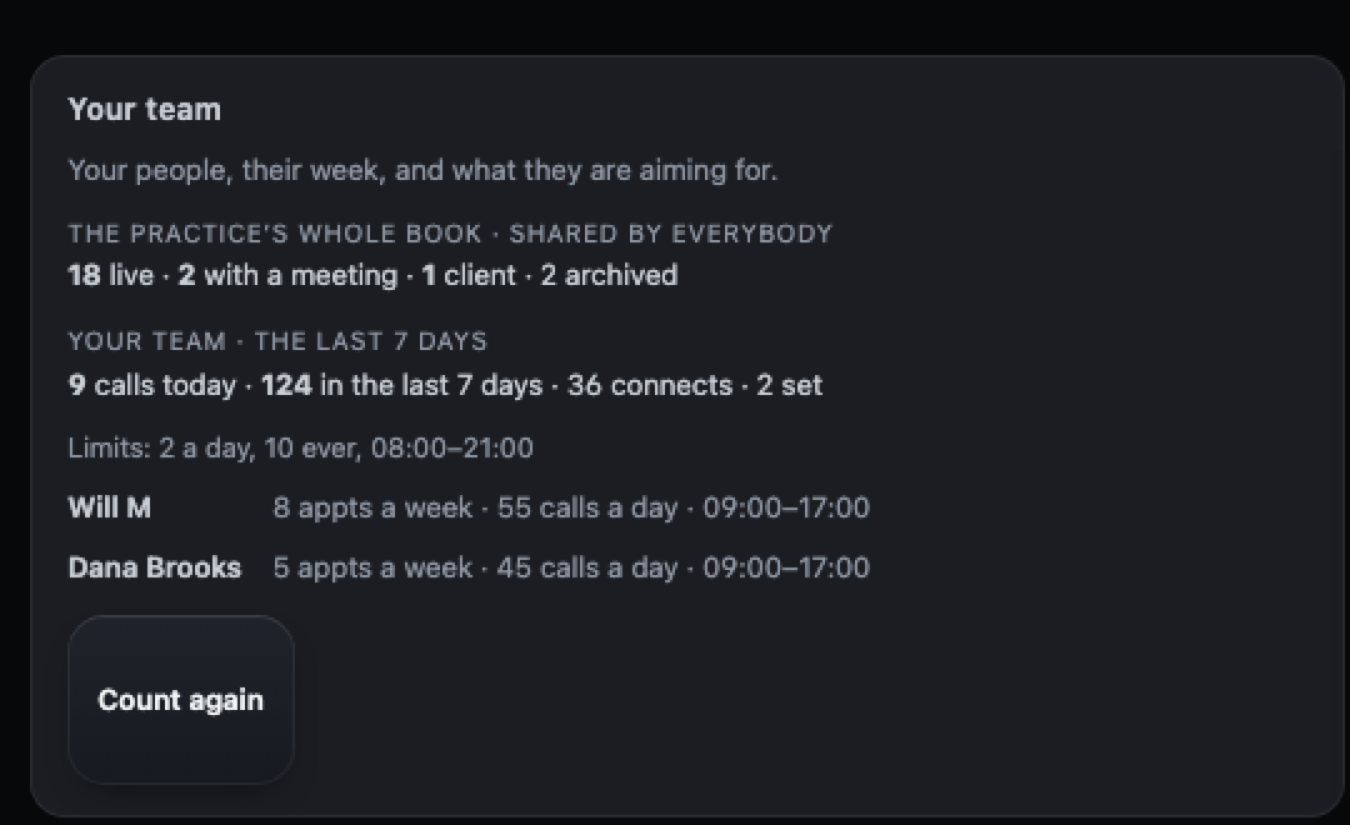
See each team member’s recent calls, connections, appointments, calling limits, and goals in one place.
This is recorded activity—not live monitoring, private notes, call content, or a score for call quality.
Real Dialtone screen
Product screens use privacy-safe demo data.
Manager viewSelected team
The team summary shows recent activity, calling limits, and goals for the people this manager is allowed to review.
02 · Owner view
Decide whether a list is worth more work.
A list can generate activity while running low on names or producing few conversations.
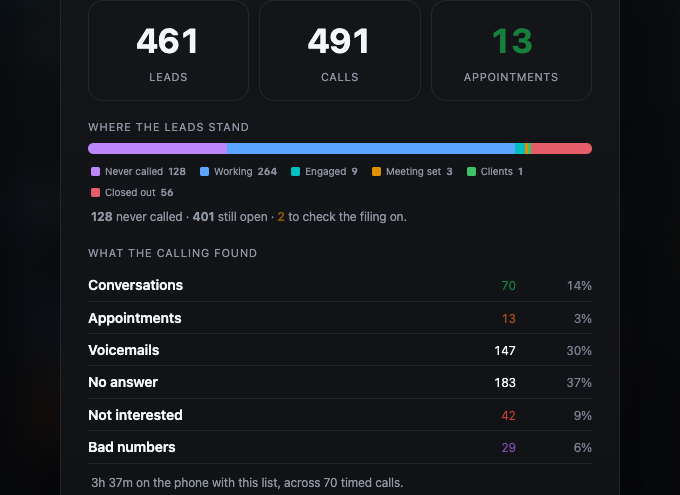
Compare recorded calls, conversations, appointments, bad-number results, and names remaining by list or source.
Use the remaining supply and recorded results to decide whether to keep working the list or add fresh names. Dialtone does not predict future results or tell you what to buy.
Lead supply and results
Compare the work left with the results already recorded.This view shows lead supply and recorded results. Dialtone does not make a purchase recommendation.
03 · Owner view
See how each phone number is performing.
When answer rates change, you need the results—not a guess about the cause.
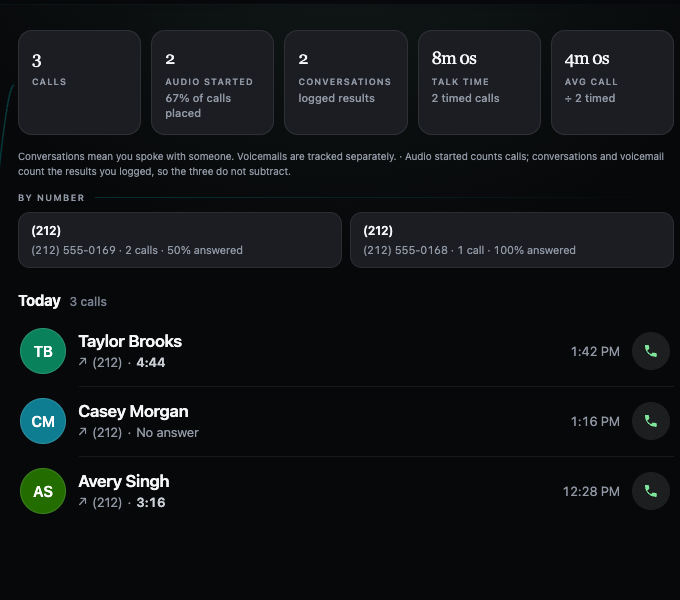
Compare each number’s recorded calls, conversations, talk time, and call results.
This view reports outcomes, not their cause. It does not diagnose caller ID or reputation. The owner decides whether to investigate or rotate a number.
Results by phone number
Compare the results before deciding what to inspect.The Calls view groups recorded calls, conversations, talk time, and outcomes by number.
04 · Owner assignment
Put each lead in the right hands.
Shared spreadsheets make ownership easy to lose and hard to change.
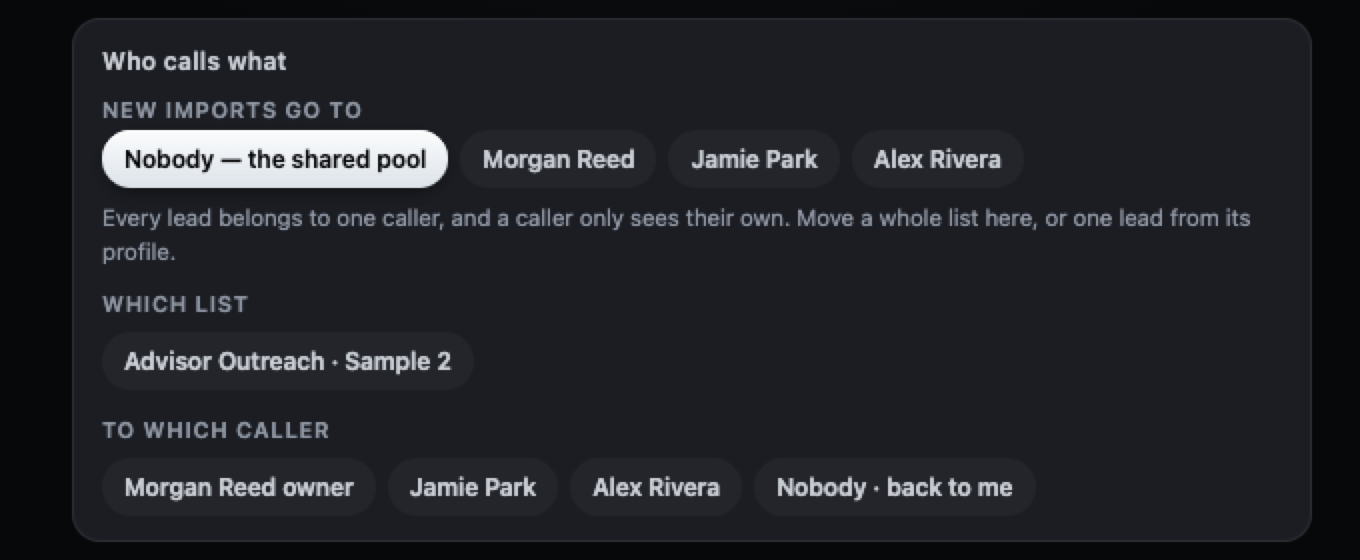
Choose where new imports land, or move a selected list to a caller.
Every lead has one owner, and callers see only their own leads. These assignment controls are available to the practice owner.
Story + real screen
Give every lead a clear owner.Owner controls set where new imports land and move a selected list to a caller.
Private pilot
Spend the meeting making decisions, not collecting updates.
See what managers can review and what owners can manage, using privacy-safe demo data.