Finish the follow-up with the call.
Save the result, useful note, and promised next step before you move on.

The prospecting dialer for financial advisors.
Dialtone keeps the prospect’s history, call result, note, and follow-up in one workflow. Practice leaders see what the day produced. Compliance can review the information shown before the call and the actions recorded after it.
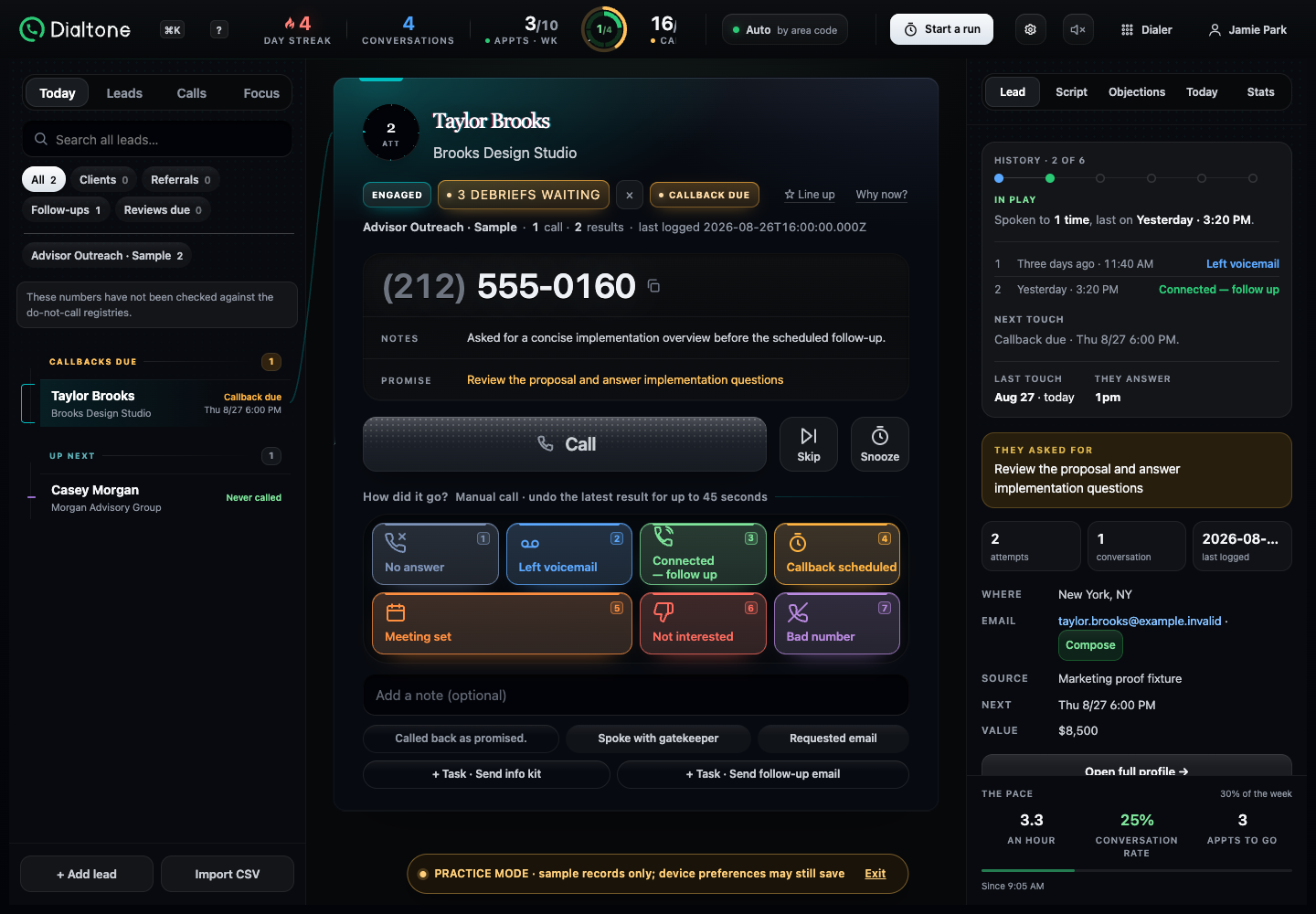

The call is only half the work
When the result, note, meeting, and follow-up scatter across tools, the next prospect waits—and the practice is left reconstructing what happened.
The workflow
This is the working product, shown with privacy-safe demo data. The advisor chooses and starts every call.
Review the reason, history, local time, and assigned caller ID.
Nothing dials until you press Call.
Record the result and note. Add the callback, task, or introduction meeting while the details are fresh.
After the result is saved, the next prospect is ready.
Why Dialtone
Dialtone is built around the work financial advisors do after hello: remembering the conversation, keeping the promise, and leaving a record the practice can review.
Save the result, useful note, and promised next step before you move on.
Work the full queue on desktop. Between calls, review Today and start a calling session on your phone.
Managers can review their permitted team scope. Owners can compare list supply and recorded outcomes by calling number.
One calling day. Three roles.
Choose a role to see the product view that matters to them.

Save the introduction meeting, review suggested openings, and open the invitation without leaving the result flow.
Explore the advisor workflow →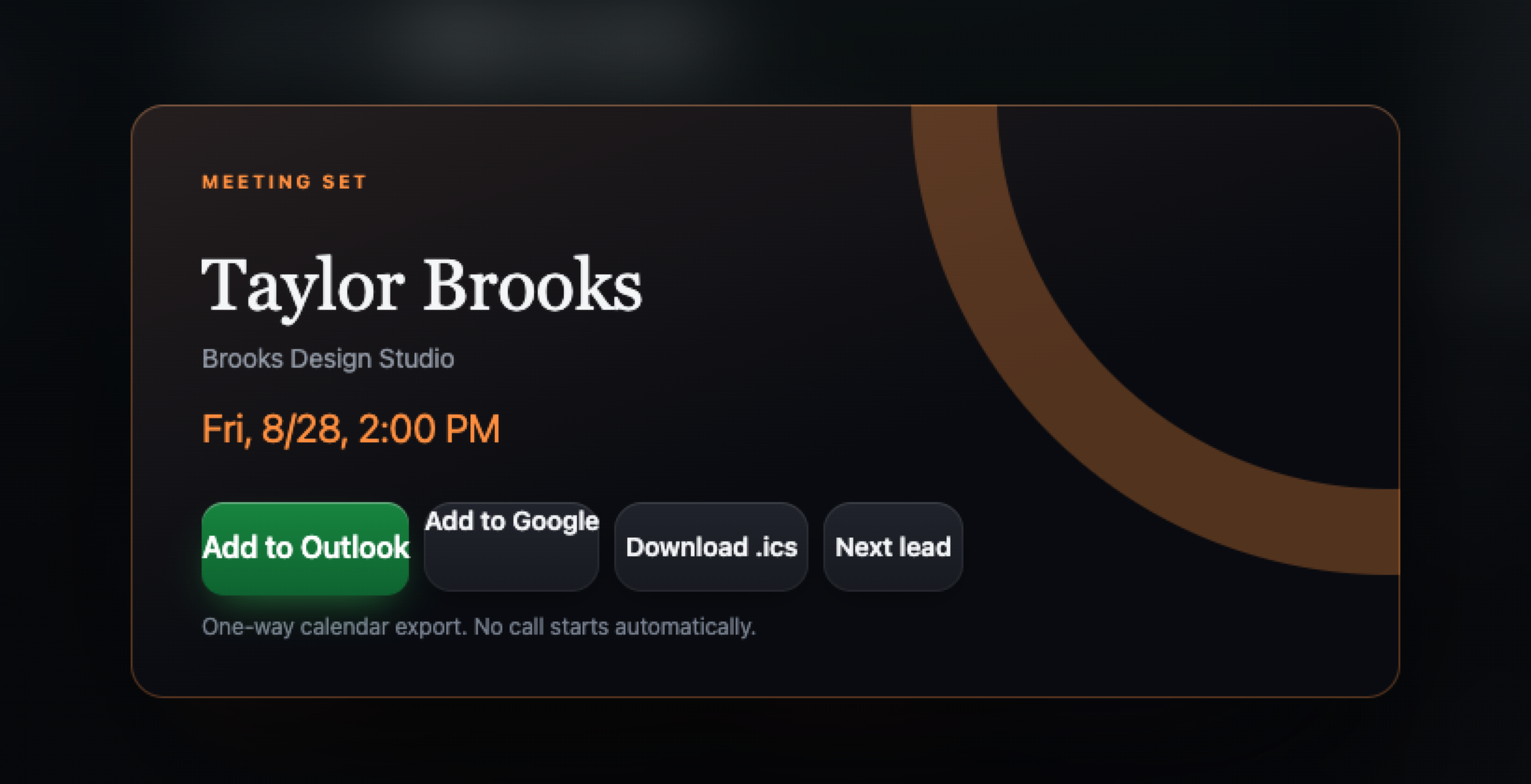
Review calls logged in Dialtone, conversations, meetings, goals, and calling limits before deciding what needs attention.
Explore practice visibility →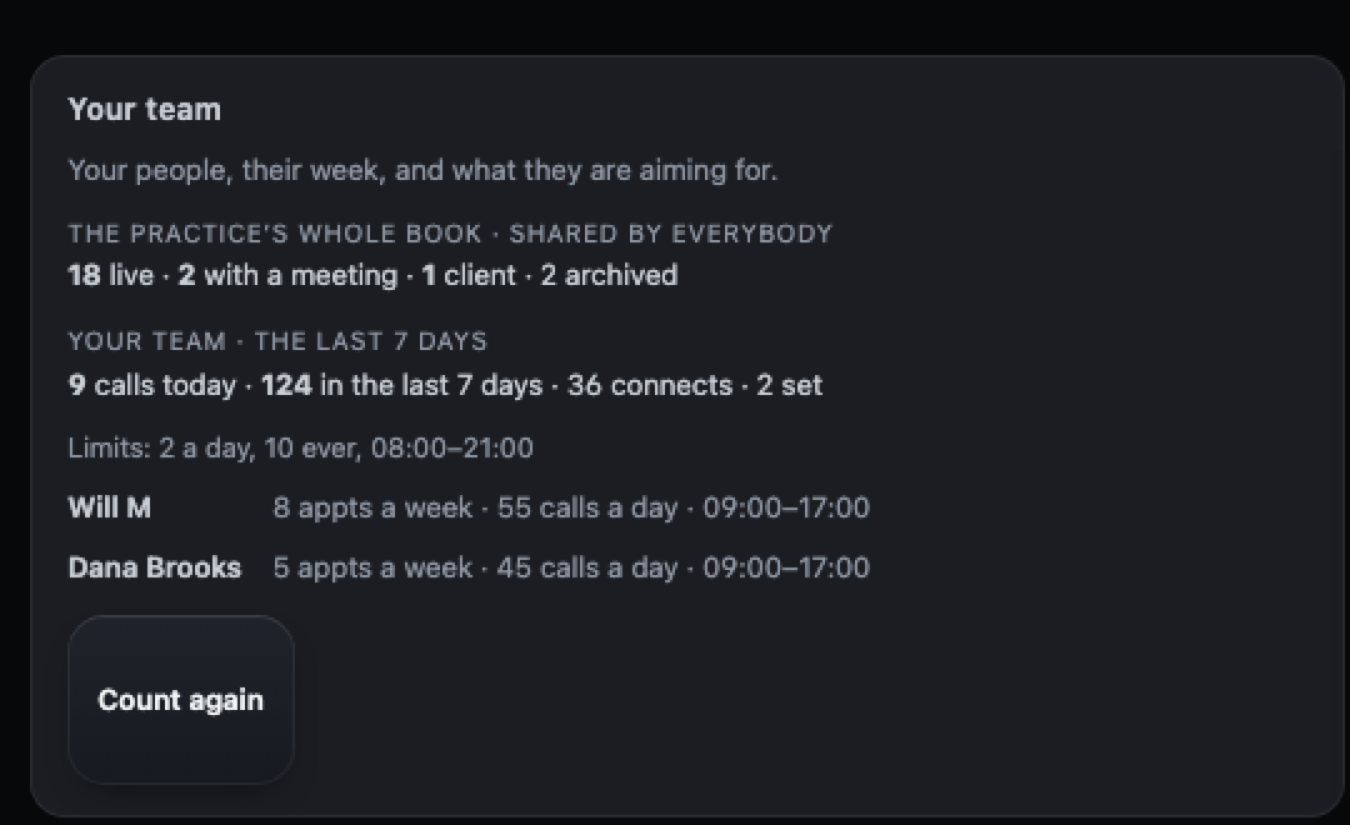
Available facts show their source and status. Missing or unavailable sources remain clearly marked.
Explore reviewable safeguards →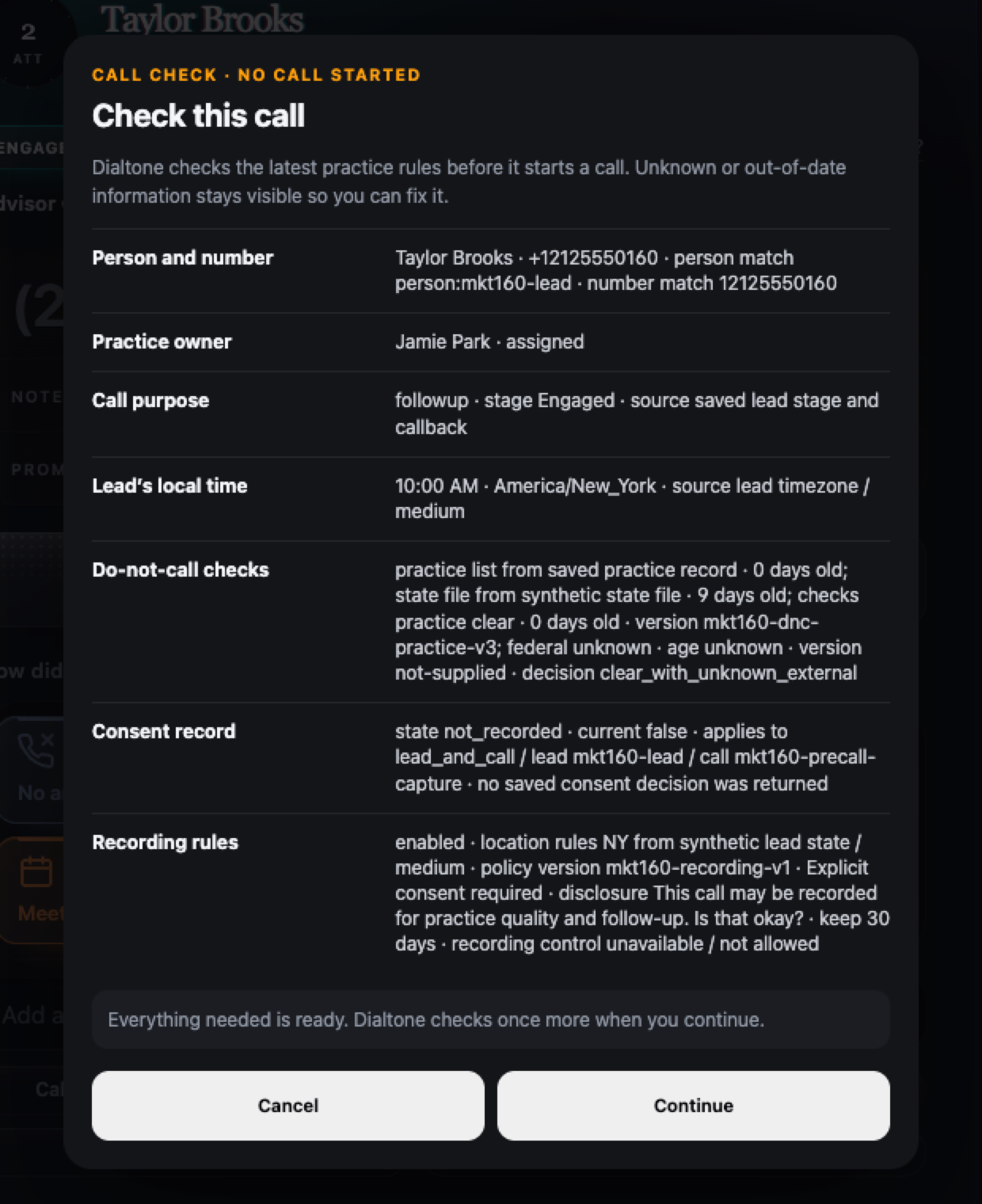
Dialtone Guide · Private pilot
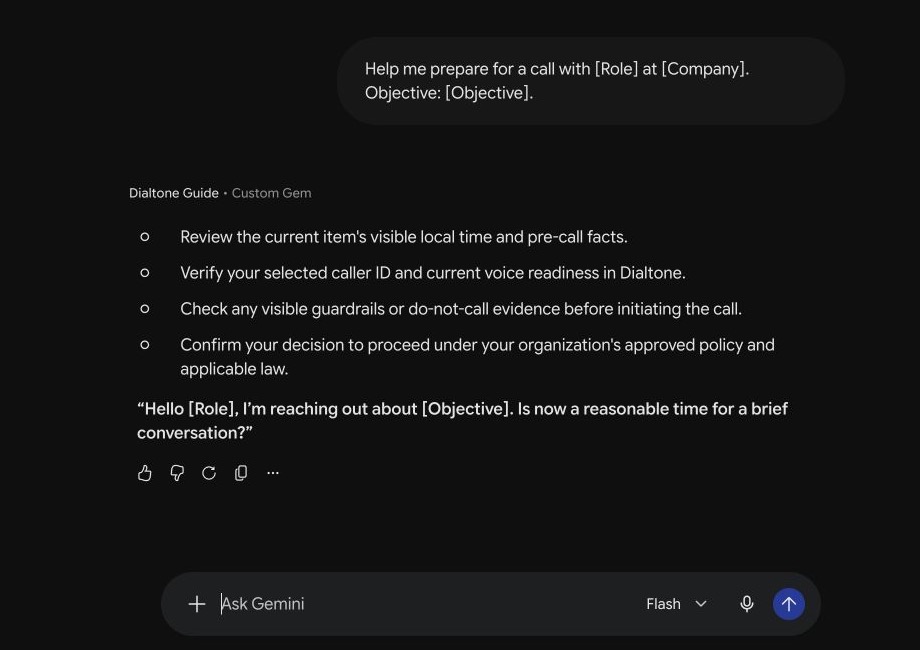
The Dialtone Guide is currently available as a private Gemini Gem; in-app access is planned. Ask what a screen, status, workflow, or safeguard means and get a plain-English answer.
See where to record the result, choose an opening, and open the invitation draft.
Find the recorded outcomes that help you decide what to inspect or replenish.
Understand what the status says, what it does not say, and what is available to review next.
See which setup item is blocking the call and where to resolve it.
Ask with fictional examples only. Do not enter prospect or client information.
By advisors. For advisors. Period.
Which lists were producing conversations? When was it time for fresh names? Which follow-ups were overdue? Which calling numbers needed a closer look? Dialtone started inside an advisory practice because we needed those answers without rebuilding the day by hand.
Before you pilot
Yes. Dialtone is built specifically for financial advisors and the practices that support them.
No. The advisor chooses the prospect and starts each call. Dialtone does not use predictive, parallel, prerecorded, ringless, or autonomous-voice dialing.
No. Dialtone organizes the prospecting day and follow-through, but it does not currently replace your practice’s system of record or sync with an external calendar. A saved meeting can open an editable Google or Outlook draft, or download as an .ics file.
Desktop provides the advisor’s full queue and the practice views allowed by that person’s role. Managers review only their permitted team scope; owners control practice-wide setup. On phone, advisors can review Today and start a calling session. Live calls do not transfer between devices.
No. Dialtone presents available facts, their sources, missing states, and recorded actions. The practice and its counsel decide what is permitted.
Not currently. Owners can compare recorded call outcomes by number, but Dialtone does not diagnose spam labels, CNAM, STIR/SHAKEN, carrier treatment, or the cause of a change.
It remains labeled missing, unavailable, or out of date. Dialtone does not turn missing evidence into permission to call.
Prepare for an invited pilot
Answer six questions about ownership, sign-in, do-not-call records, call follow-through, calling numbers, and practice testing. The result stays in your browser and does not submit a request.